ARM Migration
This version includes support for the creation of ARM repositories for customer services using Live Platform. Once enabled by AudioCodes services, when a new Operator Connect service is created, a new file repository is created on ARM for the service. Services added prior to version 8.0.518, must be migrated to Arm using a new Migration wizard. In the process, a unique repository is created on ARM and numbers that are currently loaded to service are retrieved from the OC Dial plan on the SBC device and migrated to the new repository. This feature therefore facilitates load balancing of the customer DIDs between the SBC device and the ARM where Direct Routing numbers are managed in the SBC dial plan and Operator Connect numbers are managed in ARM.
Operator Connect numbers can be uploaded to the customer repository using the Operator Connect Tenant page or from the Inventory Management module in the Multitenant portal or the Service portal. Alternatively, the Inventory Management module can be used to manage other number types, for example, Microsoft Calling Plan numbers.
| ● | Numbers loaded to the Number Inventory module prior to version 8.0.518 are not transferred to the new ARM repository. |
| ● | Once the |
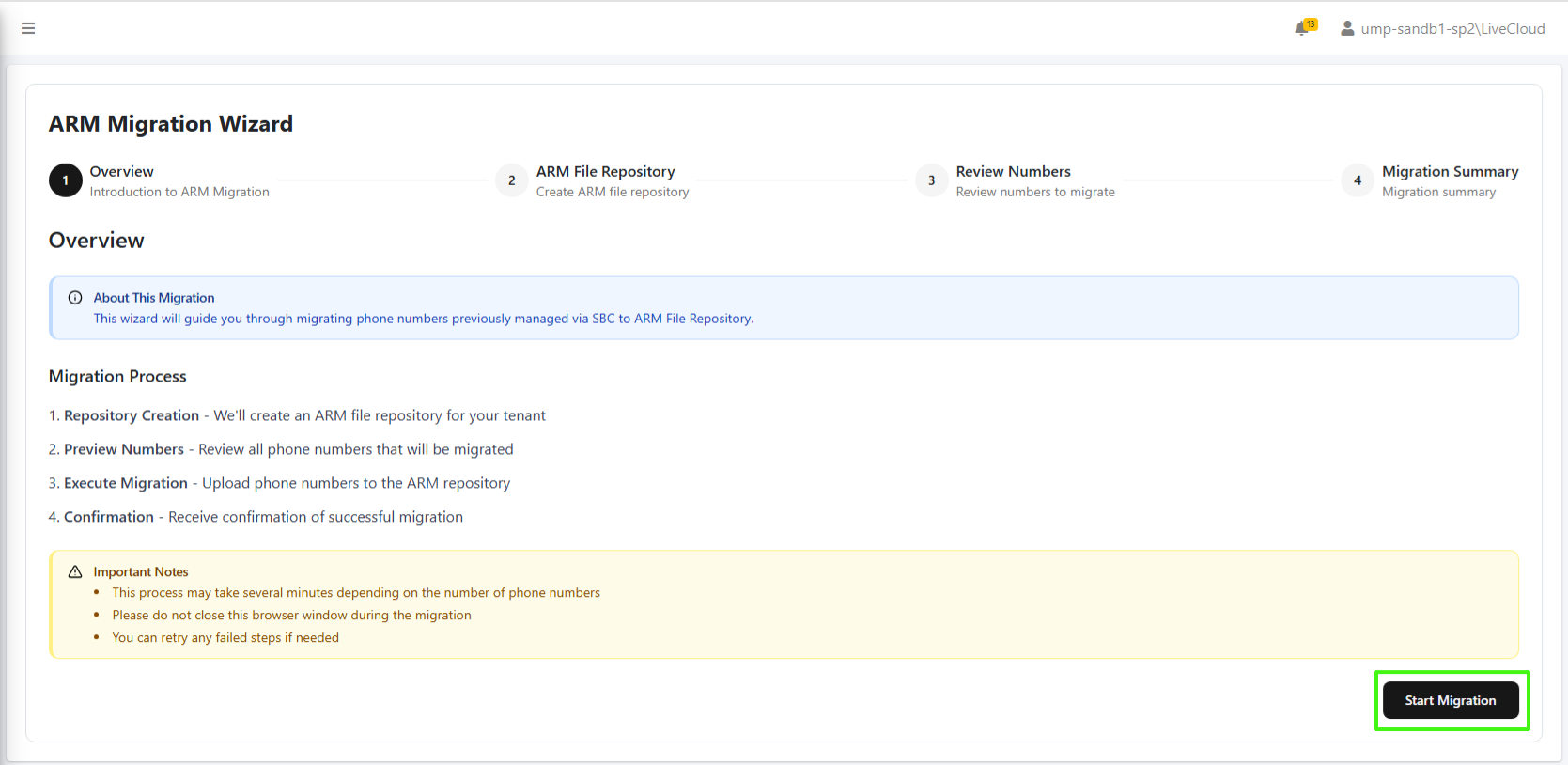
The Migration wizard is enabled in the Application Settings file in the Live Platform database. Other database configurable settings include the ability to exclude the migration of the OC Dial plan numbers for the customer and enabling the Advanced Settings tab for creating a new customer with an IP Group based SIP Connection.